
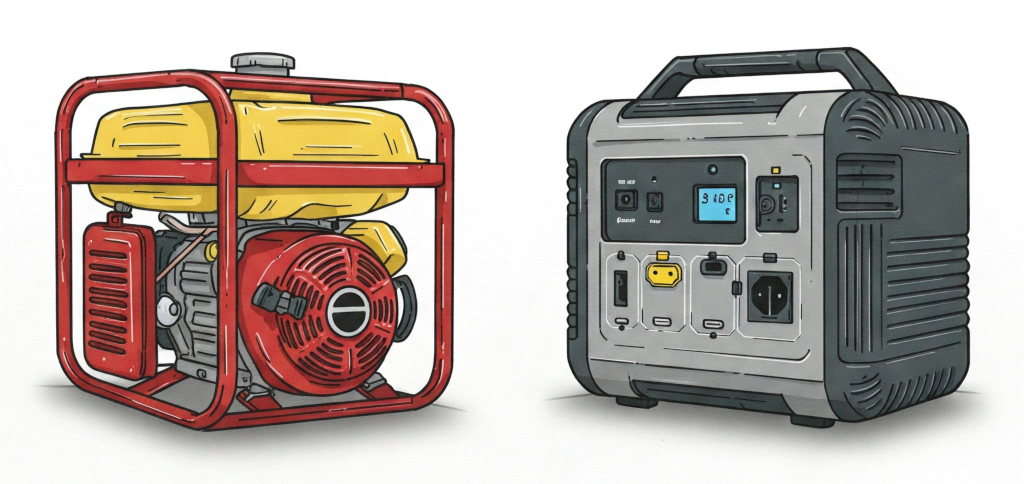
PG&E’s Generator or Portable Battery Rebate Program
The power goes out fairly regularly here in Cambria and a backup source of power is a must-have. I recently stumbled on a program that PG&E has where if you are a residential or business customer and are located in either a High Fire-Threat District (HFTD) or an area serviced by their Enhanced Power Safety Settings (EPSS) circuits then you qualify to receive a $300 rebate for either a gas generator or portable battery. They tack on an extra $200 to that rebate if you are enrolled in their CARE or FERA programs. Here is the link to the program:
To see if you qualify, go to the link above and in the Program Eligibility section click the ‘High Fire-Threat District (HFTD)’ link. Then use the search box in the upper left to enter your address. If your address falls in an orange or red zone then you qualify for this program. If it does not then go back to the program page and this time click the ‘Enhanced Power Safety Settings (EPSS) circuit’ link. Then click the ‘View progress map’ button. Find your address in this map and if it falls within the EPSS zone then you qualify. If you don’t happen to fall exactly inside the zones for both the HFTD and EPSS maps, but are close to a zone in either map then you may still qualify. I’m not 100% sure these maps accurately reflect these zones correctly.
If you have determined that you qualify then go back to the program page and click the ‘Qualified Product List (XLSX)’ link. This document lists the gas generators and portable batteries that are eligible for the rebate, but note that the document states that by no means is the list exhaustive. Meaning you may receive a rebate even if the gas generator or portable battery you bought is not listed. Be sure to click the tabs at the bottom left of the document to switch between the gas generator list and portable battery list. Note that the gas generator you choose must be CARB compliant. For example, Harbor Freight currently sells both EPA and CARB versions of their Predator gas generators. Be sure to buy the CARB version. Also note that portable batteries cannot be larger than 1kWh (1,000Wh) nor less than 290Wh. So, for example, a Jackery 1000 is actually 1070Wh and thus would not qualify, but a BLUETTI AC70 would qualify as that is 768Wh. Here are a few that I would recommend, but your needs may vary:
https://www.bluettipower.com/products/ac70
Also be sure to click the ‘Terms & Conditions (PDF)’ link in the program page. There’s great info in there like how the rebate amount cannot include taxes and shipping. So you would omit those during the application process.
Also note that the program page mentions that you can submit the application up to 12 months after you purchase the gas generator or portable battery or by 12/31/2025, whichever date is sooner. Which means if you happen to have bought an eligible gas generator or portable battery already within the last 12 months then you may be able to get a rebate for it. Also note that the Terms & Conditions states that the rebate funding is available on a first-come, first-served basis until depleted, so best to apply sooner than later.
If you qualify and decide you want to apply for the rebate be sure to wait until you are in physical possession of the gas generator or portable battery before applying. So either pick one up locally or wait until it arrives from Amazon etc before applying.
Once you have your gas generator or portable battery, scan your receipt and turn it into a PDF or image file as the application process will ask you to upload this. Be sure it has the order date, product description, and price. Then go back to the program page and click the ‘Submit an application’ button. The first thing it will ask for is your PG&E Service Agreement ID (SAID). This can be found near the top of the third page of your PG&E bill. Just enter it and continue through the application process. Be sure to select GEN30 and not GEN31 when asked. GEN31 is for a different portable battery program for customers who rely upon a medical device. I may cover this program in the future. But it is a bit confusing as you may have bought a portable battery and think you should select GEN31 since it says portable battery, but don’t. Then continue the application process. They will ask where you bought the gas generator and the model name and price and other details. For the Install Date, make sure this date is after the date on your receipt or after your Amazon etc delivery date. Once you have completed the process you should receive a confirmation email that has a link to a page where you can check the status of your application. Be sure to save this email as it contains a unique ID in the form of ‘PRJ – XXXXXXXX’. You will need to enter this ID in the application status page.
If your application is approved then PG&E will mail you a rebate check. If your application is rejected for some reason then PG&E will tell you why via email and you can just re-apply and correct the mistake.
Good luck! Let me know if you have any questions. -Cambria Tech Guy